Building a presentation from a blank slide is one of the most avoidable time sinks in modern work. You know what you want to say — you just don't want to spend two hours dragging text boxes around to say it. AI presentation makers exist specifically to close that gap: describe your topic, and get a formatted, on-brand deck back in under a minute.
We compared the 10 tools worth knowing about in 2026 — what each one is actually good at, which have genuinely usable free plans, and which one fits your specific situation.
Quick Answer
The best AI presentation makers in 2026 are Gamma for fast, polished decks from a single prompt, Beautiful.ai for enterprise teams that need strict brand consistency, and Tome for visual, narrative-driven pitch decks. Gamma and Tome both offer genuinely usable free plans; Beautiful.ai is paid-only starting at $12/month. If you're already inside Google Slides or Microsoft 365, SlidesAI and Microsoft Designer with Copilot integrate directly into the tool you already use rather than requiring a new platform.
Why AI Presentation Makers Matter Now
The value isn't that AI writes a better presentation than you would. It's that it removes the blank-page problem entirely, standardizes design for people who aren't designers, and turns an outline you already have in your head into slides in the time it takes to type a paragraph.
Different tools approach this differently — some are AI-native slide builders (Gamma, Tome), some are template platforms with AI layered on top (Canva, Slidesgo), and some are plugins that live inside a tool you already use (SlidesAI for Google Slides, Copilot for PowerPoint). Which category fits you matters more than which individual tool has the flashiest demo.
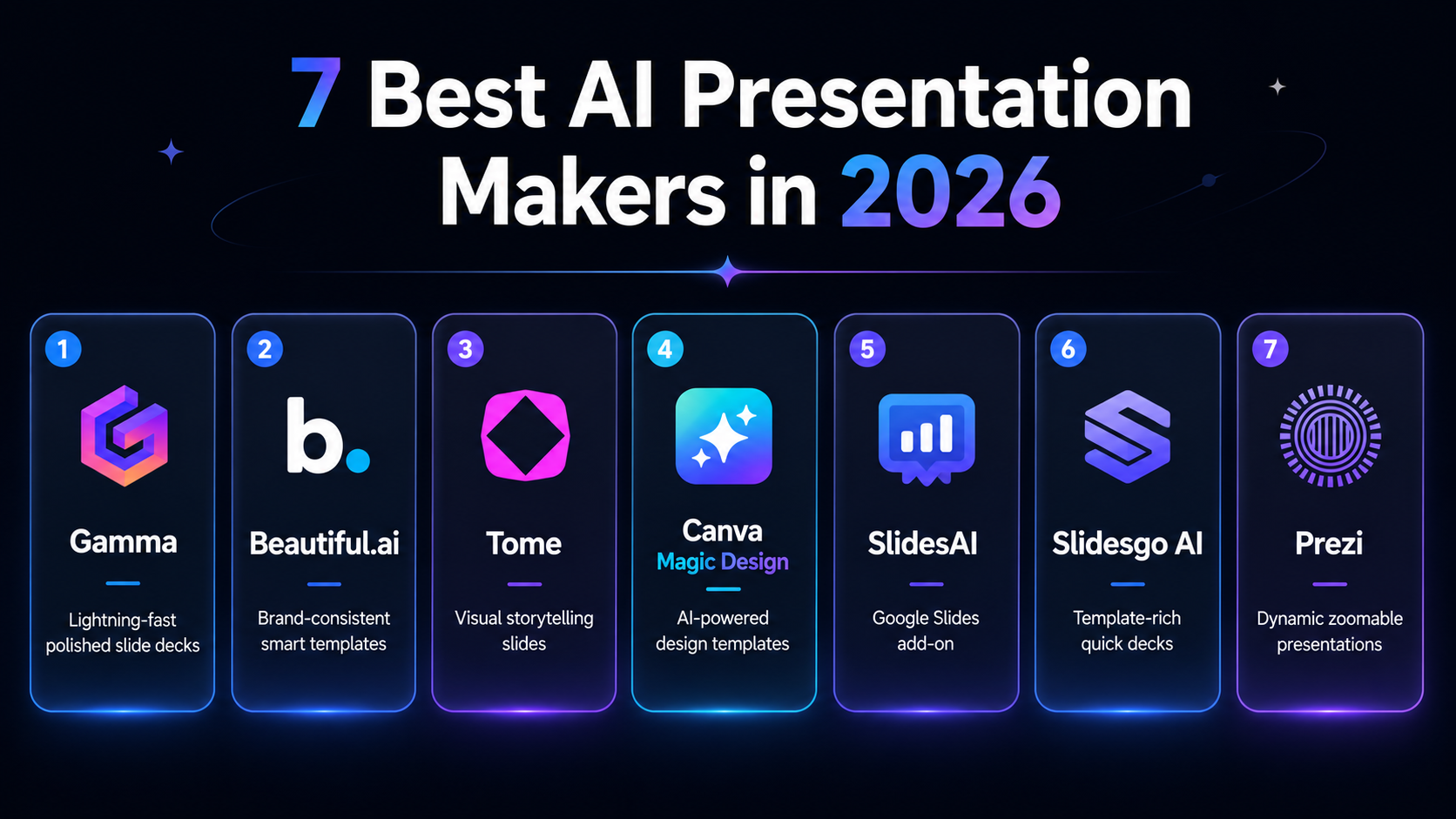
The 10 Best AI Presentation Makers in 2026
1. Gamma — Best Overall for Fast, Polished Decks
Gamma is a web-based AI deck generator that turns a single prompt into a complete, formatted presentation in under a minute. It's the closest thing on this list to genuinely AI-native slide creation rather than a template with AI bolted on.
Free plan: 400 credits, enough for several full decks Paid: Plus at $10/month Best for: Quick, polished presentations and pitch decks
2. Canva Magic Design (Presentations) — Best for Visual Templates
Canva's Magic Design feature applies its enormous template library and AI layout suggestions to presentations specifically. If visual design range matters more than AI-native generation speed, Canva's the deeper toolkit.
Free plan: Yes, generous Paid: Canva Pro at $13/month Best for: Visually rich templates and strong design flexibility
3. Tome — Best for Visual Storytelling
Tome is built around narrative, multi-slide decks with AI image generation baked in, plus interactive embeds most static slide tools don't support. It's the strongest option when the deck needs to tell a story, not just present bullet points.
Related articles
AI Tools
AEO vs GEO vs SEO: Definitions & Differences (2026)
AEO vs GEO vs SEO explained with clear terminology, use cases, and a practical decision framework for when each term matters.
AI Tools
AI SEO Checklist for Beginners (2026 Guide)
A step-by-step AI SEO checklist for beginners covering research, implementation order, internal links, schema, EEAT, and post-publish monitoring.
Free plan: Yes Paid: From $16/month Best for: Pitch decks and visual storytelling
4. Beautiful.ai — Best for Brand-Consistent Enterprise Slides
Beautiful.ai's smart templates auto-format content and enforce brand consistency automatically — every slide comes out on-brand without manual adjustment. There's no free tier, which reflects its positioning toward teams rather than individuals.
Free plan: No Paid: From $12/month Best for: Enterprise and marketing teams needing consistently on-brand slides
5. Microsoft Designer + PowerPoint Copilot — Best for the Microsoft Ecosystem
Microsoft Designer is free and uses DALL-E 3 for image generation. Separately, PowerPoint Copilot (a Microsoft 365 add-on at $30/month) generates and edits slides directly inside native PowerPoint — no new platform to learn.
Free plan: Yes (Designer), Copilot is a paid 365 add-on Best for: Teams already living inside Microsoft 365
6. SlidesAI — Best Google Slides Add-On
SlidesAI is a lightweight plugin that converts text notes into a slide outline directly inside Google Slides, rather than requiring you to leave your existing workflow.
Free plan: 3 decks/month Paid: From $10/month Best for: Google Workspace users who want to stay inside Slides
7. Presentations.AI — Best Conversational Interface
Presentations.AI (also known as Presenti) uses a chat-style interface that asks clarifying questions before building your deck — a better fit if you'd rather describe what you want in conversation than fill out a form.
Free plan: Trial, then subscription — verify current pricing directly Best for: Users who prefer a conversational build process
8. Decktopus — Best for One-Click Simplicity
Decktopus focuses on fast, one-click deck creation from a topic with light customization on top — the most straightforward option for small, low-stakes presentations.
Free plan: Limited usage Paid: From $9/month Best for: Non-designers making quick, simple decks
9. Slidesgo AI — Best Free Option for Students and Educators
Slidesgo's enormous free template library now has AI layered on top — pick a theme and it generates matching content. Genuinely free to download a limited number of decks.
Free plan: Yes, several decks free Best for: Students and educators who need themed slides fast
10. Prezi AI — Best for Nonlinear, Zoomable Presentations
Prezi AI brings generation to Prezi's signature zoomable canvas — the right choice specifically when a standard linear slide deck isn't the right format for what you're presenting.
Free plan: Yes, limited credits Paid: From $19/month Best for: Dynamic, non-linear storytelling and demos
Side-by-Side Comparison
| Tool | Free Plan | Starting Price | Best For | Ease of Use |
|---|---|---|---|---|
| Gamma | Yes (400 credits) | $10/month | Fast, polished decks | Very easy |
| Canva Magic Design | Yes | $13/month | Visual templates and design | Very easy |
| Tome | Yes | $16/month | Visual storytelling | Easy |
| Beautiful.ai | No | $12/month | Branded enterprise slides | Medium |
| MS Designer + Copilot | Yes (Designer) | Free / $30/month add-on | Microsoft-native workflow | Easy |
| SlidesAI | Yes (3 decks) | $10/month | Google Slides users | Very easy |
| Presentations.AI | Trial | Freemium — verify current | Conversational building | Easy |
| Decktopus | Yes | $9/month | One-click simple decks | Very easy |
| Slidesgo AI | Yes (few decks) | Free | Students, educators | Easy |
| Prezi AI | Yes (500 credits) | $19/month | Nonlinear storytelling | Medium |
Related articles
AI Tools
AI SEO vs Traditional SEO: What Actually Changes (2026)
AI SEO vs traditional SEO explained with a practical comparison, hybrid strategy guidance, and clear rules for when each approach should lead.
AI Tools
Best AI Agents in 2026: 10 Top Picks Compared by Use Case
Compare the best AI agents in 2026 for coding, research, productivity, business, automation, and personal tasks. Find the right AI agent for your workflow.
Pricing and free-tier limits shift often in this category — verify current figures directly on each tool's pricing page before committing.
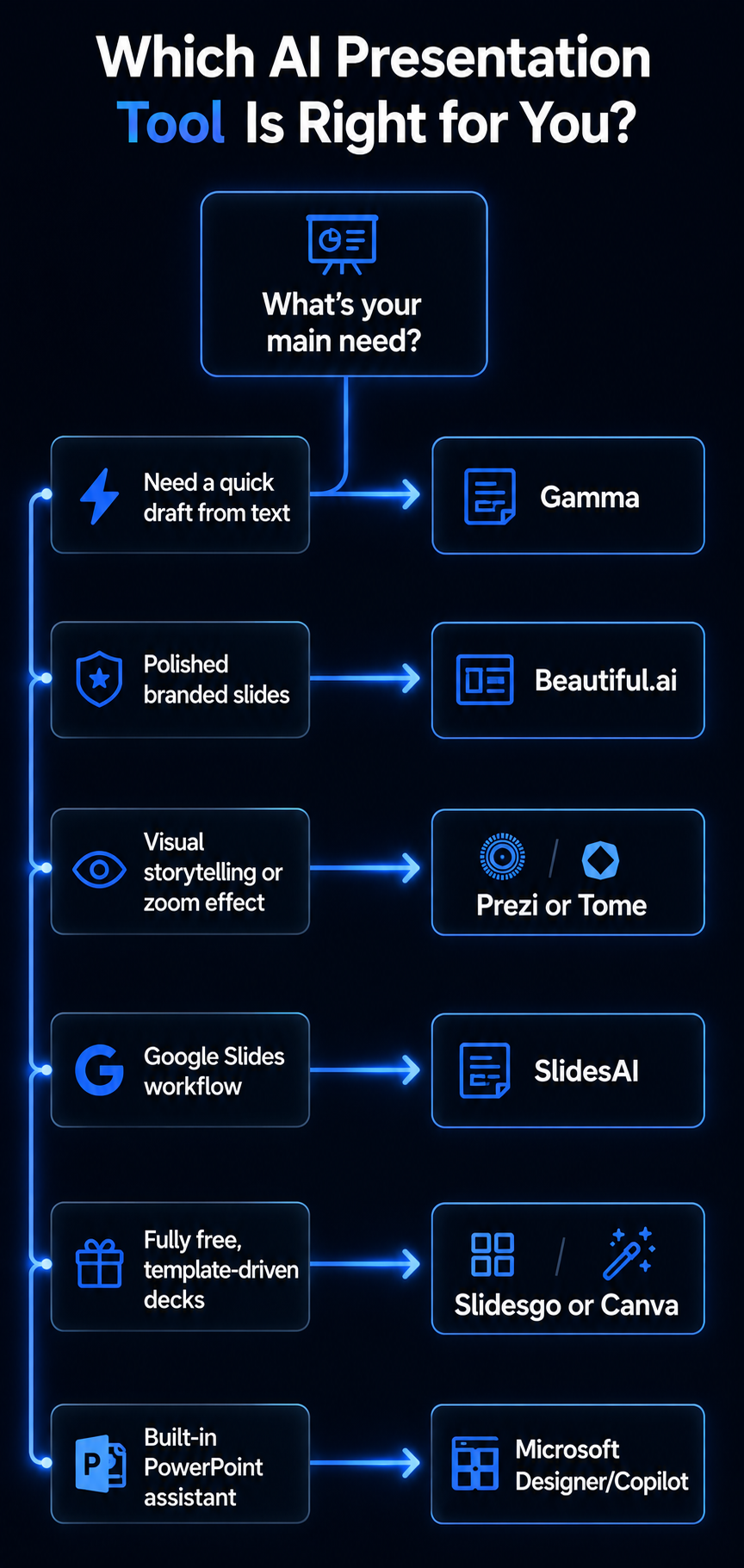
Which Tool Fits Your Situation?
Need a quick draft from text: Gamma or Decktopus — one-click generation from a topic or outline.
Need high-quality, on-brand slides: Beautiful.ai for automatic brand enforcement, or Canva for the widest design asset library.
Building a creative or storytelling presentation: Prezi or Tome — both built around narrative and non-linear flow rather than static bullet slides.
A student or educator: Slidesgo for free themed templates, or Microsoft Designer for free imagery.
Already living in Google Slides: SlidesAI or Presentations.AI, both built to work inside a tool you already use.
Working inside Microsoft 365: PowerPoint Copilot or Designer for native, no-new-platform integration.
How to Use AI Presentation Makers Effectively
Write detailed prompts. The more context you give — audience, tone, key data points — the better the first draft. A one-line topic produces a generic deck; a paragraph of context produces something closer to usable.
Upload existing content when the tool allows it. Gamma and Tome both accept PDFs and URLs directly, grounding the generated slides in your actual material instead of the AI's guesses.
Review the outline before generating full slides. Tools that show you the slide list first — Gamma and Tome both do — let you fix structural issues before the AI spends time formatting content you're going to cut anyway.
Customize visuals and branding after generation. Treat the AI output as a strong first draft, not a finished deck. Apply your actual brand colors, fonts, and logo before it goes in front of anyone.
Add real charts and images where the AI leaves gaps. If a data-heavy slide needs a real chart, build it from your actual spreadsheet rather than trusting the AI's version. For custom imagery, the best free AI image generators guide covers your options.
Fact-check anything the AI stated as data. AI presentation tools can generate plausible-sounding but incorrect statistics. Verify any number that ends up on a slide before it's presented.
Add your own voice. AI produces a structurally sound draft. Your specific examples, opinions, and phrasing are what make it actually yours rather than generic.
Common Mistakes and Things to Watch For
Generic-sounding decks. Most AI generators default to safe, generic phrasing. Personalize the specific insights on each slide rather than presenting the AI's first draft as final.
Template collision. When many people use the same popular AI templates, decks start looking identical. Shuffle layouts or adjust styling if visual distinctiveness matters for your audience.
Free-tier limits catching you mid-project. Free plans cap usage — Gamma's 400 credits, Slidesgo's few free decks, SlidesAI's 3 decks a month. Check your tool's specific limit before starting something you need to finish.
Uploading confidential material to unfamiliar tools. Use reputable, established platforms for anything containing sensitive business information, and check each tool's data policy before uploading internal documents.
Frequently Asked Questions
What is an AI PPT generator? An AI tool that converts a text topic, outline, or prompt into a formatted slide deck automatically — handling layout, structure, and often imagery without manual slide-by-slide building.
Can AI presentation makers replace traditional slide creation? They accelerate the first draft significantly, but human editing is still needed for polish, accuracy, and brand fit. Think of them as a fast starting point rather than a finished product.
Are there free AI presentation makers? Yes — Gamma and Tome both have genuinely usable freemium tiers, Slidesgo offers several free template-based decks, SlidesAI gives limited free monthly use inside Google Slides, and Microsoft Designer is free with daily limits.
Related articles
AI Tools
Best AI Search Rank Tracking Tools 2026: Free & Paid
Compare the best AI search rank tracking tools for ChatGPT, Perplexity, and Google AI Overviews in 2026 — free options, pricing, and citation tracking.
AI Tools
7 Best Free AI Image Generators in 2026
We evaluated 7 of the best free AI image generators in 2026 for image quality, free access, ease of use, text rendering, and commercial-use considerations.
Will AI-generated slides have watermarks or restrictions? Some free tiers add watermarks or cap the number of decks or exports. Check the specific tool's free-plan terms before relying on it for something you need to present without restriction.
How good is the design quality? Template-focused tools like Beautiful.ai and Canva consistently produce the most polished, professional-looking output out of the box. AI-native generators like Gamma and Tome produce strong results too but benefit more from a manual styling pass afterward.
Key Takeaways
- Gamma and Tome offer the best combination of AI-native generation quality and genuinely usable free plans
- Beautiful.ai is the strongest choice specifically for enterprise brand consistency, with no free tier
- SlidesAI and Microsoft Designer are the right picks if you want AI inside a platform you already use rather than a new one to learn
- Always review the AI-generated outline before full slide generation, and fact-check any data-bearing slide before presenting it
- Free-tier limits vary meaningfully between tools — check the specific cap before starting a project you need to finish on that plan
AI presentation makers won't replace the judgment and expertise you bring to a deck — but they remove the slowest, least valuable part of building one. Try Gamma or Tome's free tier for your next presentation and see how much of the formatting work disappears.
For more on AI tools that speed up your workflow, read the best free AI image generators guide, the best AI tools for content creators, and the best AI productivity tools guide.