There isn't one best AI agent for every task. The right choice depends on whether you need coding help, deep research, business automation, personal productivity, or something closer to a fully autonomous worker — and each of those jobs has a genuinely different best answer in 2026.
An AI agent, in short, is a system built on an AI model that can plan a multi-step task, use tools, take real actions, and check its own results — rather than just answering a single question. If you want the full definition and how agents actually work under the hood, our guide to what an AI agent is covers that in depth. This article assumes you already know roughly what an agent is and focuses entirely on which ones are actually worth using, for what, and why.
We evaluated 10 of the strongest current AI agent products against a consistent set of criteria — task completion, autonomy, tool integrations, reliability, ease of use, price, and human control — and picked a category winner for each major use case rather than declaring one universal "best."

Quick Comparison Table
| AI Agent | Best For | Autonomy | Coding | Research | Automation | Free Option | Pricing Model |
|---|---|---|---|---|---|---|---|
| Manus | General-purpose autonomous tasks | Very high | Limited | Yes | Yes | Limited | Credit-based |
| Claude Code | Coding | High | Yes | Limited | Limited | Limited | Usage-based |
| Cursor | Software development | High | Yes | No | No | Yes | Subscription + usage |
| OpenAI Codex | Autonomous coding tasks | High | Yes | No | No | Limited | Usage-based |
| Devin | End-to-end engineering | Very high | Yes | Limited | No | No | Credit-based |
| GitHub Copilot (agent mode) | Existing GitHub teams | Medium-High | Yes | No | Limited | Yes | Subscription + AI Credits |
| Perplexity (Research, Comet & Computer) | Research | Medium-High | Limited | Yes | Limited | Yes | Subscription |
| Replit Agent | Building apps | High | Yes | No | No | Yes | Subscription + usage |
| Lindy | Personal/business productivity | Medium | No | Limited | Yes | Trial | Credit-based, per seat |
| Zapier Agents | App-connected business automation | Medium | No | No | Yes | Yes | Usage-based |
Pricing can change; check each provider's current plan page before subscribing. Figures above reflect verified information as of August 2026.
Quick Answer: Which AI Agent Is Best?
Best overall general-purpose agent: Manus. For users who want a general-purpose agent that can research, browse, work with files, and execute multi-step tasks beyond software development, Manus is the strongest general-purpose pick in this comparison. For coding specifically, Claude Code and Cursor are stronger choices.
Best for coding: Claude Code, with Cursor as the strongest pick if you want agentic coding inside a full IDE rather than a terminal.
Best for autonomous coding tasks: OpenAI Codex, especially when you want to delegate a clearly defined task and review the resulting implementation.
Best for end-to-end engineering: Devin, for teams willing to delegate defined engineering tasks with a high degree of autonomy.
Best for research: Perplexity, combining research capabilities with Comet and Perplexity Computer for increasingly agentic browser and computer-use workflows.
Best for building apps: Replit Agent, because it goes from a plain-language description to a working application and deployment in one browser-based workflow.
Best for personal productivity: Lindy, for individuals and small teams who want an AI assistant for inbox, calendar, meeting, and workflow tasks.
Best for business automation: Zapier Agents, because of its broad app-integration ecosystem and ability to add AI-driven decisions to connected workflows.
How We Chose the Best AI Agents
This is NeutrixFlow's editorial evaluation, not an industry-standard benchmark. We didn't run controlled, side-by-side tests across all 10 products — the assessment below is based on official product documentation, provider pricing pages, and a review of recent independent user discussions and technical writeups, weighted against the following framework:
- Task completion — 25%: Does it actually finish the job, not just suggest a plan?
- Autonomy — 20%: How much can it do without step-by-step supervision?
- Tools/integrations — 15%: What can it actually connect to and act on?
- Reliability — 15%: How consistently does it work as described?
- Ease of use — 10%: How much setup and technical skill does it require?
- Price/value — 10%: What do you get relative to what you pay?
- Human control/safety — 5%: Can you review, approve, and stop it before something goes wrong?
Where we attribute a specific capability or limitation to user reports, we say so directly — recent community discussion, not lab-verified data. We did not fabricate scores, benchmarks, or accuracy percentages for any product.
What Makes an AI Agent Different From an AI Tool?
Not every AI product that performs multiple steps is equally agentic. The important difference is how much of the workflow the system can manage itself.
A useful AI agent can generally:
- understand a goal rather than only a single instruction
- break the goal into multiple steps
- choose and use tools
- interact with external systems
- observe the result of its actions
- adjust its approach when something fails
- continue working with less step-by-step supervision
The exact level of autonomy varies significantly between products. Some agents work inside a coding environment, others operate a browser, while others connect business applications and execute workflows.
That is why comparing AI agents purely by how "smart" their underlying model is can be misleading. The better question is: how well does the agent complete the specific job you need it to do?
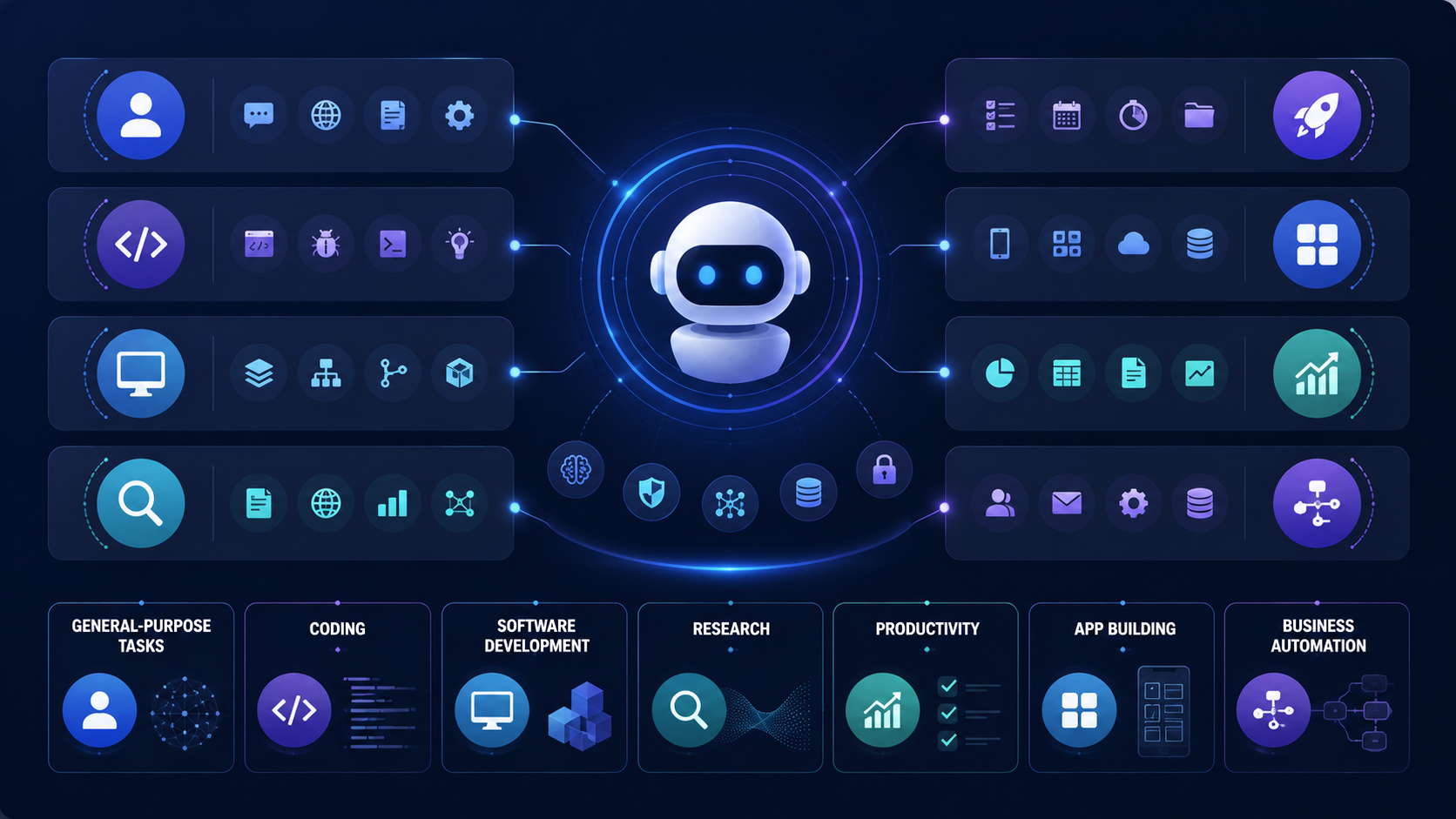
1. Manus — Best General-Purpose Autonomous AI Agent
Best for
Users who want to hand off a broad, loosely defined goal and let an agent work independently in its own cloud environment for an extended period.
Why we recommend it
Manus is built around genuine autonomy beyond coding specifically — researching, browsing, and producing a finished deliverable from a single instruction, working in its own sandbox rather than requiring constant supervision.
What it can do
Work independently on a stated goal across research, browsing, and file-based tasks, often for extended stretches without intervention.
Strengths
Among the most autonomous general-purpose agents currently available; useful for tasks that don't fit neatly into a coding or research-only category.
Limitations
Credit-based pricing means costs can be unpredictable on longer or more complex tasks; less specialized than dedicated coding or research agents in their own domains.
Pricing
Standard plan around $20/month with a defined monthly credit allowance; higher tiers around $40/month and $200/month for heavier usage — check Manus's current pricing page, as credit allocations have been adjusted before.
Who should use it
Users with broad, open-ended goals who want an agent to work autonomously rather than one they'll direct step by step.
Who should skip it
Anyone who wants predictable, fixed monthly costs, or who needs deep specialization in one specific domain like coding.
2. Claude Code — Best AI Agent for Coding
Best for
Developers and technical users who want the strongest general-purpose agentic reasoning available today, applied primarily to coding and terminal-based tasks.
Related articles
AI Tools
AEO vs GEO vs SEO: Definitions & Differences (2026)
AEO vs GEO vs SEO explained with clear terminology, use cases, and a practical decision framework for when each term matters.
AI Tools
AI SEO Checklist for Beginners (2026 Guide)
A step-by-step AI SEO checklist for beginners covering research, implementation order, internal links, schema, EEAT, and post-publish monitoring.
Why we recommend it
Claude Code runs as a terminal-native agent that can read a codebase, plan a multi-step change, execute commands, run tests, and iterate on failures with less hand-holding than most alternatives on this list. Its ability to work through multi-step coding tasks with relatively little hand-holding is one reason it has become popular among developers. As of September 1, 2026, Claude Code defaults to Claude Fable 5.1, Anthropic's frontier model.
What it can do
Navigate and edit an existing codebase, run and interpret test output, execute shell commands, and work through a defined engineering task largely on its own within a session.
Strengths
Strong reasoning on complex, multi-file changes; genuinely useful without constant re-prompting; integrates cleanly with existing developer workflows.
Limitations
Terminal-first, which is a real adoption barrier for less technical users; not designed as a general personal-productivity or business-automation agent.
Pricing
Usage-based, tied to Anthropic's Claude plans; check Anthropic's current pricing page, as this has been updated more than once in 2026.
Who should use it
Developers comfortable in a terminal who want an agent that can genuinely carry a task from description to working, tested code.
Who should skip it
Anyone who wants a graphical interface, or whose primary need is research or business automation rather than software development.
3. Cursor — Best AI Agent Inside a Code Editor
Best for
Developers who want deep agentic capability built directly into a full code editor rather than a separate terminal tool.
Why we recommend it
Cursor's agent mode plans and executes multi-file changes inside a familiar IDE environment, keeping the entire loop — from task description to reviewed diff — in one place. For a detailed breakdown of how it stacks up against Claude Code and OpenAI's Codex specifically, see our Claude Code vs Cursor vs Codex comparison, and for how it compares to GitHub Copilot directly, our Cursor vs GitHub Copilot guide.
What it can do
Multi-file agentic edits, inline completions, codebase-aware chat, and model selection across multiple underlying providers.
Strengths
Deepest real-time AI integration of any editor-based agent; strong whole-project reasoning; flexible model choice.
Limitations
Requires adopting a new primary editor; pricing structure has shifted enough in 2026 that current figures should be checked directly.
Pricing
Cursor has a free Hobby plan. Pro is $20/month, Pro+ is $60/month, and Ultra is $200/month. Agent usage is tied to included model usage and can vary by model and task. Check Cursor's current pricing and usage documentation before subscribing.
Who should use it
Developers who want the most AI-native editing experience available and are willing to switch editors to get it.
Who should skip it
Teams standardized on GitHub for review and CI who'd rather add AI to their existing editor. For that case, see GitHub Copilot below.
4. OpenAI Codex — Best AI Agent for Autonomous Coding Tasks
Best for
Developers who want to hand off a well-scoped coding task and get a finished, reviewable result back without staying in the loop for every step.
Why we recommend it
Codex operates as a cloud-based agent that works on a defined task inside its own sandboxed environment, returning a diff or pull request for review — a genuinely different interaction model from Cursor or Claude Code's more continuous, in-session workflows.
What it can do
Take a described coding task, work through it independently in an isolated environment, and produce a reviewable result.
Strengths
Frees you from watching the process; well suited to routine or well-specified tasks run in parallel.
Limitations
Less suited to exploratory or ambiguous tasks where mid-task input genuinely helps; requires careful review before merging its output.
Pricing
Usage-based, tied to OpenAI's current plans; verify on OpenAI's official pricing documentation.
Who should use it
Developers with clearly defined, self-contained tasks who want to parallelize work rather than sit through it interactively.
Who should skip it
Anyone whose tasks require frequent mid-stream clarification or judgment calls.
5. Devin — Best AI Agent for End-to-End Engineering
Best for
Teams that want an agent capable of taking on a real engineering ticket largely unsupervised, from planning through implementation.
Why we recommend it
Devin, built by Cognition AI, is positioned specifically around software engineering autonomy rather than simple assistance — planning and executing defined engineering work, writing code, and testing changes in its development environment.
What it can do
Plan and execute software engineering tasks with less step-by-step direction than most coding agents on this list, working through a defined scope largely independently.
Strengths
Genuine autonomy on well-scoped engineering work; useful for offloading entire tickets rather than individual edits.
Limitations
Cost scales with usage through its credit system (ACUs), and can add up quickly on complex tasks; still requires review before trusting output in production.
Pricing
Core plan around $20/month with credit-based usage on top; Team plan around $500/month. Devin's billing is usage-based via Agent Compute Units — check Cognition's current pricing page for exact current rates.
Who should use it
Engineering teams with well-defined tickets they're comfortable delegating largely end-to-end, with review before merge.
Who should skip it
Teams on a tight budget, or those needing an agent to work through highly ambiguous or exploratory problems.
6. GitHub Copilot (Agent Mode) — Best for Existing GitHub Teams
Best for
Teams already standardized on GitHub for code hosting, pull requests, and review who want agentic capability without adopting a new editor or platform.
Why we recommend it
Copilot's agent mode adds genuine multi-step task execution on top of an editor most developers already use, with tight integration into GitHub's existing pull request and review workflow — something neither Cursor nor Devin replicates natively.
What it can do
Multi-step agentic tasks inside VS Code, JetBrains, and other supported editors, plus code review assistance directly in pull requests.
Strengths
No editor-switching cost; predictable, well-documented pricing; broadest IDE support of any agent on this list.
Limitations
Agent-mode credits can run out faster than expected under heavy use; feels more like an added layer than a fully native agentic environment.
Pricing
Free tier available; Pro at $10/month, Pro+ at $39/month, Max at $100/month; Business at $19/user/month, Enterprise at $39/user/month, billed through GitHub's AI Credits system.
Who should use it
Teams that want to keep their current editor and existing GitHub-centered workflow while adding real agentic capability.
Who should skip it
Developers who want the deepest possible AI-native editing experience — Cursor is the stronger fit there.
7. Perplexity (Research, Comet & Computer) — Best AI Agent for Research

Best for
Anyone whose work depends on finding, verifying, and citing current information rather than generating content from training data alone.
Why we recommend it
Perplexity's Deep Research mode runs extended, multi-source investigations with citations attached to its findings, and its Comet browser extends that into taking direct action on web pages — filling forms and completing tasks where the actual work lives, rather than just summarizing it. For more on how it compares specifically to ChatGPT for research tasks, see our ChatGPT vs Perplexity for research guide, or visit our Perplexity tool page directly.
What it can do
Run cited, multi-source research investigations through Research/Deep Research, complete browser tasks through Comet, and use Perplexity Computer for longer-running autonomous work involving research, coding, documents, and connected tools.
Strengths
Sourced, verifiable output — a genuine differentiator for research-heavy work; strong for both individuals and teams that need to show their sources.
Related articles
AI Tools
AI SEO vs Traditional SEO: What Actually Changes (2026)
AI SEO vs traditional SEO explained with a practical comparison, hybrid strategy guidance, and clear rules for when each approach should lead.
AI Tools
Best AI Search Rank Tracking Tools 2026: Free & Paid
Compare the best AI search rank tracking tools for ChatGPT, Perplexity, and Google AI Overviews in 2026 — free options, pricing, and citation tracking.
Limitations
Less suited to general task execution, file work, or coding compared to foundational-model agents built specifically for those jobs.
Pricing
Free tier available; Pro at $20/month.
Who should use it
Researchers, analysts, and anyone whose output needs to be checkable and source-backed.
Who should skip it
Users needing broad task automation, coding, or business workflow execution — Perplexity's strength is specifically research and browsing.
8. Replit Agent — Best AI Agent for Building Apps
Best for
Building and deploying a working application from a description, without managing local development infrastructure.
Why we recommend it
Replit Agent runs entirely in the browser and can go from a plain-language description to a deployed, functioning application — combining coding, hosting, and deployment in one continuous flow, which distinguishes it clearly from editor-based coding agents that still expect you to manage deployment separately.
What it can do
Build, iterate on, and deploy applications directly from natural-language instructions, with hosting included.
Strengths
Genuinely beginner-accessible; nothing to install; built-in hosting removes a whole separate step most other coding agents leave to you.
Limitations
Less suited to complex, large-scale production codebases than desktop-based tools; no offline development.
Pricing
Replit has a free Starter plan with limited Agent usage. Core starts at $25/month when billed monthly, with a lower effective monthly price on annual billing, while Pro is designed for heavier professional use. Replit Agent usage is credit-based, so actual costs depend on task complexity. Check Replit's current pricing page before subscribing.
Who should use it
Beginners, educators, and anyone prioritizing fast, browser-based building and deployment over deep local tooling. For the broader landscape of AI-assisted development environments, our best AI code editors guide and AI coding tools guide go deeper into how Replit fits alongside Cursor, Copilot, and others.
Who should skip it
Developers working on large, complex production systems that need deep local tooling and offline access.
9. Lindy — Best AI Agent for Personal and Business Productivity
Best for
Individuals and small teams who want an assistant that handles inbox triage, scheduling, and meeting follow-up without building any automation logic themselves.
Why we recommend it
Lindy lets you describe an assistant in plain language — "triage this inbox," "update the CRM after every call" — and it builds and runs that workflow with real cross-run memory, positioned as a genuine assistant layer rather than a rigid if-this-then-that automation tool.
What it can do
Email drafting and triage, meeting prep and follow-up, calendar management, and CRM updates, connected across 100+ integrations.
Strengths
Fast path from "I keep doing this manually" to a working agent; strong for clearing an individual's repetitive workload.
Limitations
No permanent free tier — only a 7-day trial; not built to run a process spanning a full team, an approval chain, and external clients; costs scale with usage and can climb at higher volume.
Pricing
Plus starts at $29.99/month per user, with higher tiers at $99.99/month and $199.99/month. Lindy uses a credit-based system where more complex tasks consume more credits. Check Lindy's current pricing page before subscribing because plan limits and credit allocations can change.
Who should use it
Founders, ops leads, and individuals with one or two clear, repetitive workflows they want off their plate.
Who should skip it
Larger teams needing multi-person approval chains, or anyone unwilling to pay without a real free tier to test first.
10. Zapier Agents — Best AI Agent for App-Connected Business Automation
Best for
Businesses that need an agent layered on top of the widest possible range of existing business software.
Why we recommend it
Zapier Agents adds a layer of judgment on top of Zapier's existing library of thousands of app integrations — genuinely useful specifically because most businesses already have some part of their stack connected through Zapier already, and their Zapier tool page covers this in more depth.
What it can do
App-to-app automations that require some decision-making rather than a rigid fixed trigger-action rule — lead qualification, support ticket routing, CRM updates, and recurring reporting among them.
Strengths
Unmatched breadth of integrations; a natural extension for teams already using Zapier's core automation product.
Limitations
Bills by individual action step within a workflow, which means complex multi-step automations can consume allowance faster than expected; less suited to open-ended autonomous work than Manus or Devin.
Pricing
Free tier at 400 activities/month for the Agents product specifically; paid plans from roughly $33/month for higher volume — check Zapier's current pricing page for exact current tiers.
Who should use it
Businesses with an existing Zapier footprint that want to add judgment-based automation without switching platforms.
Who should skip it
Teams needing deep, open-ended autonomy on a single complex goal — Manus or Devin are better suited to that specific job. Technical teams comfortable with more setup should also weigh n8n, an open-source workflow tool that supports AI agent nodes and bills by full workflow execution rather than per action step — often significantly cheaper at scale for complex automations, at the cost of more manual setup.
Best AI Agents for Coding
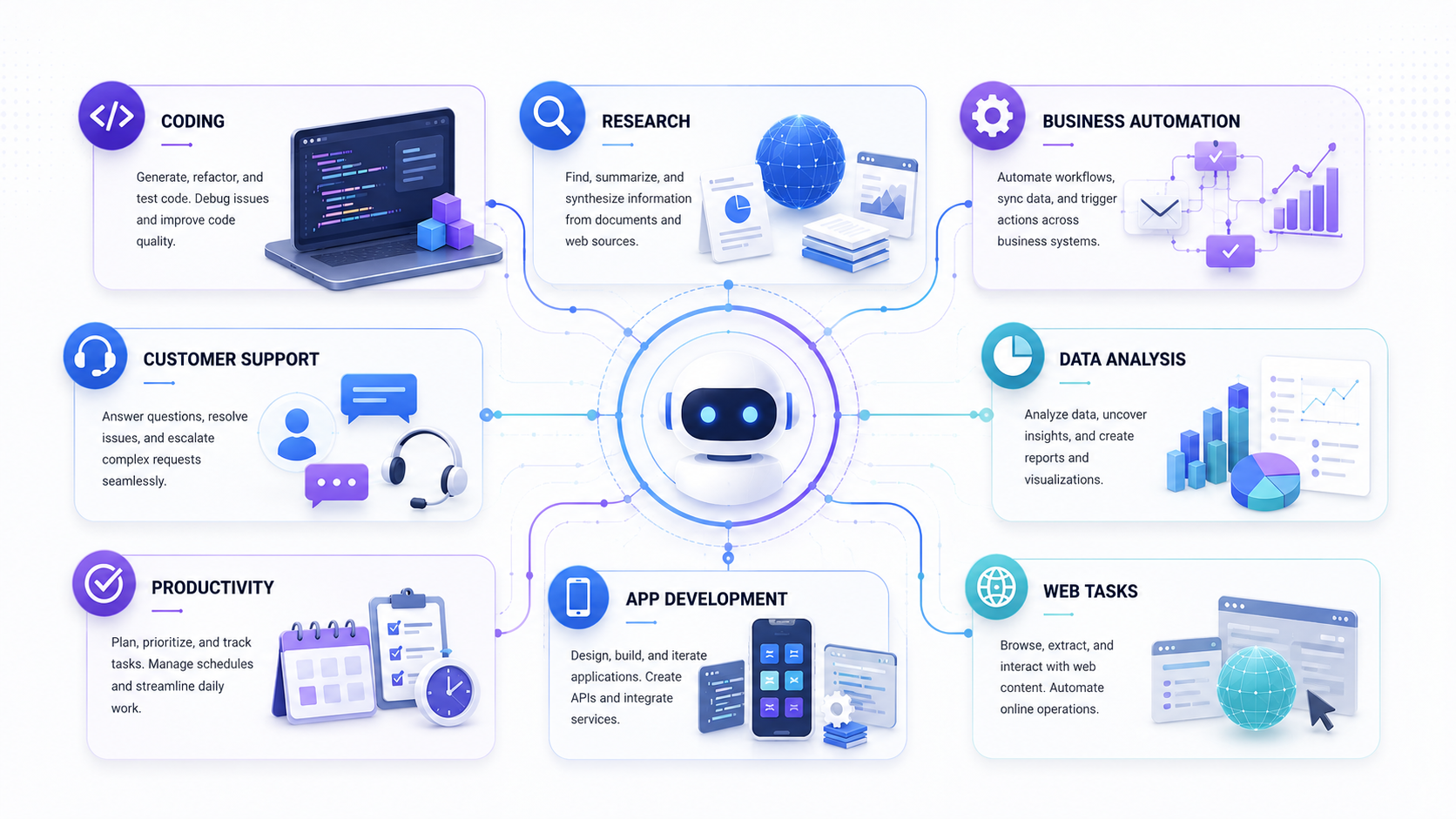
Coding is the most mature category for AI agents right now, with genuinely different approaches: Claude Code and OpenAI Codex work primarily through the terminal or cloud sandbox, Cursor and GitHub Copilot integrate directly into an editor, and Devin positions itself as a full autonomous engineer for defined tickets. Which one fits depends on how much of your workflow you want inside an editor versus handed off entirely. Our best AI code editors guide, Claude Code vs Cursor vs Codex comparison, and Gemini vs ChatGPT vs Claude for coding guide go deeper into these specific tradeoffs than this article needs to.
Best AI Agents for Research
Perplexity leads this category specifically because sourced, checkable output matters for research, while Comet and Perplexity Computer extend the workflow into browser and computer-use tasks. For a direct comparison of research-focused AI approaches, see our ChatGPT vs Perplexity for research guide.
Best AI Agents for Personal Productivity
Lindy is the strongest pick for individuals wanting inbox, calendar, and meeting workflows handled without building automation logic themselves. For the wider landscape of AI productivity tools beyond dedicated agents, our best AI productivity tools guide covers additional options.
Best AI Agents for Students
Most students don't need a dedicated autonomous agent — a strong general-purpose assistant, paired with a research tool like Perplexity, covers the majority of academic use cases without the cost or complexity of a full agent platform. For students specifically, our best AI tools for students guide is a more relevant starting point than any single agent on this list.
Best AI Agents for Business and Automation
Business automation splits into two real patterns: broad, integration-heavy workflows across existing software (Zapier Agents), and dedicated personal-assistant-style automation for a specific person or role (Lindy). Common practical applications include lead qualification, customer support triage, CRM updates after calls, meeting scheduling, recurring reports, and routine internal operations. None of these agents replace a full team — they handle the repetitive layer of a role, with a human still responsible for judgment calls and oversight.
AI Agents for Building Websites and Apps
Replit Agent is the clearest pick here for going from description to deployed product without managing separate hosting infrastructure. For website-specific builders that use AI without requiring code at all, our best AI website builders guide covers a different, non-coding path to the same general goal.
AI Agents and MCP
Modern agents extend what they can do by connecting to external tools and data sources, and the Model Context Protocol (MCP) has become one of the more common ways that connection is standardized across different agents and platforms. If you're evaluating agents based on what they can actually connect to, our guide to what MCP is explains that layer in more detail than this article needs to.
AI Agent vs Chatbot
| Capability | Traditional Chatbot | AI Agent |
|---|---|---|
| Responds to a single prompt | Yes | Yes |
| Plans and executes multi-step tasks | Rarely | Core capability |
| Uses external tools | Only if built in | Often central to its design |
| Takes real actions on other systems | Rarely | Yes, within granted permissions |
| Operates over extended periods | No | Sometimes, depending on the product |
| Requires constant supervision | Effectively, yes | Varies — designed to need less |
The line isn't always sharp — some products marketed as chatbots include agentic features, and the distinction is more about behavior than branding.
AI Agent vs AI Assistant
Terminology here isn't fully standardized across vendors, and you'll see "assistant" and "agent" used inconsistently. As a general pattern, an assistant tends to help you respond to, draft, or complete something under your direction, while an agent tends to carry more of a defined goal forward independently, using tools along the way. Several products on this list — Lindy in particular — are marketed as assistants while functioning in a genuinely agentic way for specific tasks, which is exactly why this distinction shouldn't be treated as a strict rule.
Are AI Agents Actually Reliable?
Reliability varies significantly by product and task, and it's worth being honest about the real limitations rather than treating agents as flawless.
Common failure modes worth understanding before you rely on an agent for anything consequential:
- Hallucination — an agent can act confidently on incorrect information, not just state it
- Incorrect actions — a flawed plan can produce a chain of wrong steps, not just one wrong answer
- Tool failures — an external system being unavailable or behaving unexpectedly can derail a task
- Prompt injection — content an agent encounters while browsing or reading can attempt to manipulate its behavior
- Permissions and privacy — an agent with broad access increases what's at stake if something goes wrong
- Cost — usage-based and credit-based pricing on several of these products can escalate unpredictably on longer tasks
- Long-running task drift — the longer an agent works unsupervised, the more room there is for an early mistake to compound
- Human approval gaps — some products default to acting without a clear checkpoint for consequential decisions
None of this means agents are unsafe to use — it means the products that build in monitoring, permission scoping, and human approval at the right points are meaningfully more trustworthy than ones that don't, and that's a real factor worth weighing alongside raw capability when choosing between them.
Related articles
AI Tools
7 Best Free AI Image Generators in 2026
We evaluated 7 of the best free AI image generators in 2026 for image quality, free access, ease of use, text rendering, and commercial-use considerations.
AI Tools
18 Best Free AI Tools in 2026 (Tested Across Every Category)
The definitive list of the best free AI tools in 2026 — tested and ranked across writing, design, coding, research, and video. No paid subs needed.
Frequently Asked Questions
Which is the best AI agent in 2026?
There's no single best AI agent — it depends on the task. Claude Code is the strongest overall pick for general agentic reasoning, particularly for coding, while Perplexity leads for research, Replit Agent for building apps, and Lindy for personal productivity automation.
What are the top AI agents?
The strongest current AI agents span several categories: Claude Code, Cursor, OpenAI Codex, Devin, and GitHub Copilot for coding; Manus for general-purpose autonomy; Perplexity for research; Replit Agent for building apps; and Lindy and Zapier Agents for personal and business automation.
Which AI agent is best for coding?
Claude Code leads for terminal-based agentic coding, Cursor for developers who want that capability inside a full editor, and Devin for teams wanting an agent to take on entire engineering tickets with minimal supervision.
Which AI agent is best for research?
Perplexity, specifically its Deep Research mode and Comet agentic browser, because its output is grounded in cited, checkable sources rather than unsupported generation.
What is the best free AI agent?
Several products on this list offer genuinely usable free tiers, including GitHub Copilot, Cursor, Perplexity, Replit Agent, and Zapier Agents (400 free activities/month). None of the more autonomous, credit-based agents like Devin or Lindy currently offer a permanent free tier.
Are AI agents better than chatbots?
Not universally better — they solve a different problem. Chatbots are well suited to answering questions and drafting content; agents are built for multi-step tasks that require planning, tool use, and taking real action, which chatbots typically aren't designed to do.
What can AI agents actually do?
Depending on the specific product, agents can write and test code, conduct cited research, manage email and calendars, update CRM records, automate business workflows across connected apps, and build and deploy applications — each agent on this list specializes in a different subset of these capabilities rather than doing all of them equally well.
Are AI agents reliable?
Reliability varies by product and task complexity. Well-scoped, clearly defined tasks tend to go well; longer, more ambiguous tasks carry more risk of compounding errors. Products with built-in monitoring, permission controls, and human approval checkpoints are generally more trustworthy for consequential work.
Can AI agents replace human workers?
Not at their current state of reliability. They're most effective at clearing repetitive, well-defined portions of a role — inbox triage, routine coding tasks, scheduled reports — while judgment, oversight, and handling ambiguous or high-stakes decisions still benefit from a human in the loop.
What is the difference between an AI agent and an AI assistant?
The terms overlap significantly and aren't used consistently across vendors. Generally, an assistant helps you complete something under your direction, while an agent carries a defined goal forward more independently using tools — but several products described as assistants function in a genuinely agentic way for specific tasks.
Which Agent Should You Actually Choose?
If you're a developer, start with Claude Code or Cursor depending on whether you prefer a terminal or a full editor — and use our Claude Code vs Cursor vs Codex comparison to decide between the two directly.
If you're a student or general user, you likely don't need a dedicated agent platform at all — a strong assistant paired with Perplexity for research covers most needs; see our best AI tools for students guide.
If you run a small business, start with whichever fits your existing tooling: Zapier Agents if you already use Zapier's core product, Lindy if you want a dedicated personal-assistant-style agent for one or two specific workflows.
If your work is primarily research-driven, Perplexity's Deep Research and Comet are worth adopting regardless of what else you use.
If you want to build and ship something quickly without managing infrastructure, Replit Agent is the most direct path from idea to deployed product.
If you want maximum autonomy and are comfortable with usage-based costs, Manus and Devin both offer genuinely independent, extended task execution — Devin specifically for software engineering, Manus for broader, less specialized goals.
Whichever you choose, the same underlying truth applies across every product on this list: an agent is only as useful as the workflow, instructions, and guardrails you put around it. For the conceptual foundation this article builds on, our guide to what an AI agent is is the right place to start if any of this still feels unclear.