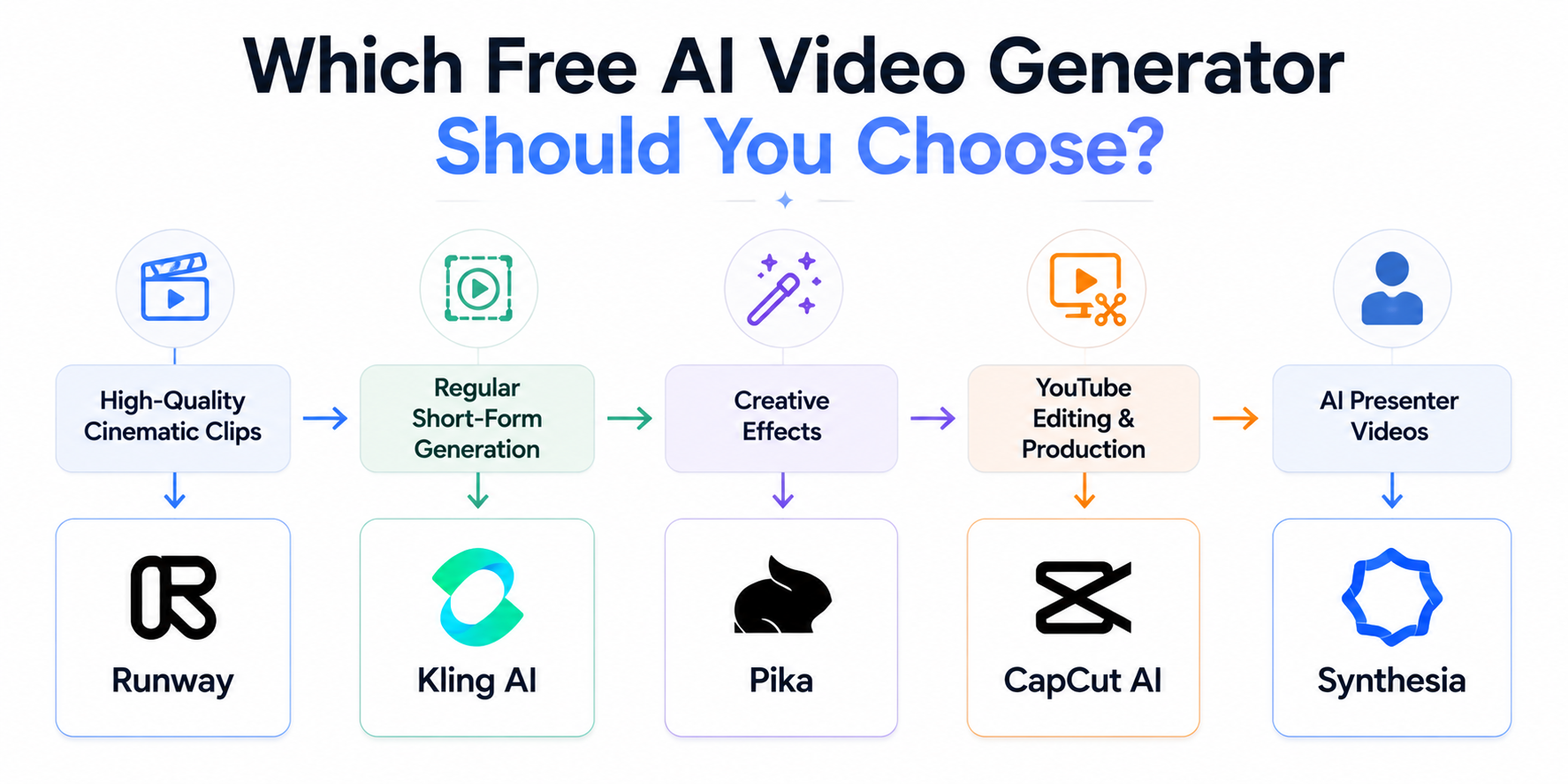
If you want to create AI videos for free in 2026, the best choice depends on what you need: short cinematic clips, YouTube b-roll, AI presenters, or a complete editing workflow.
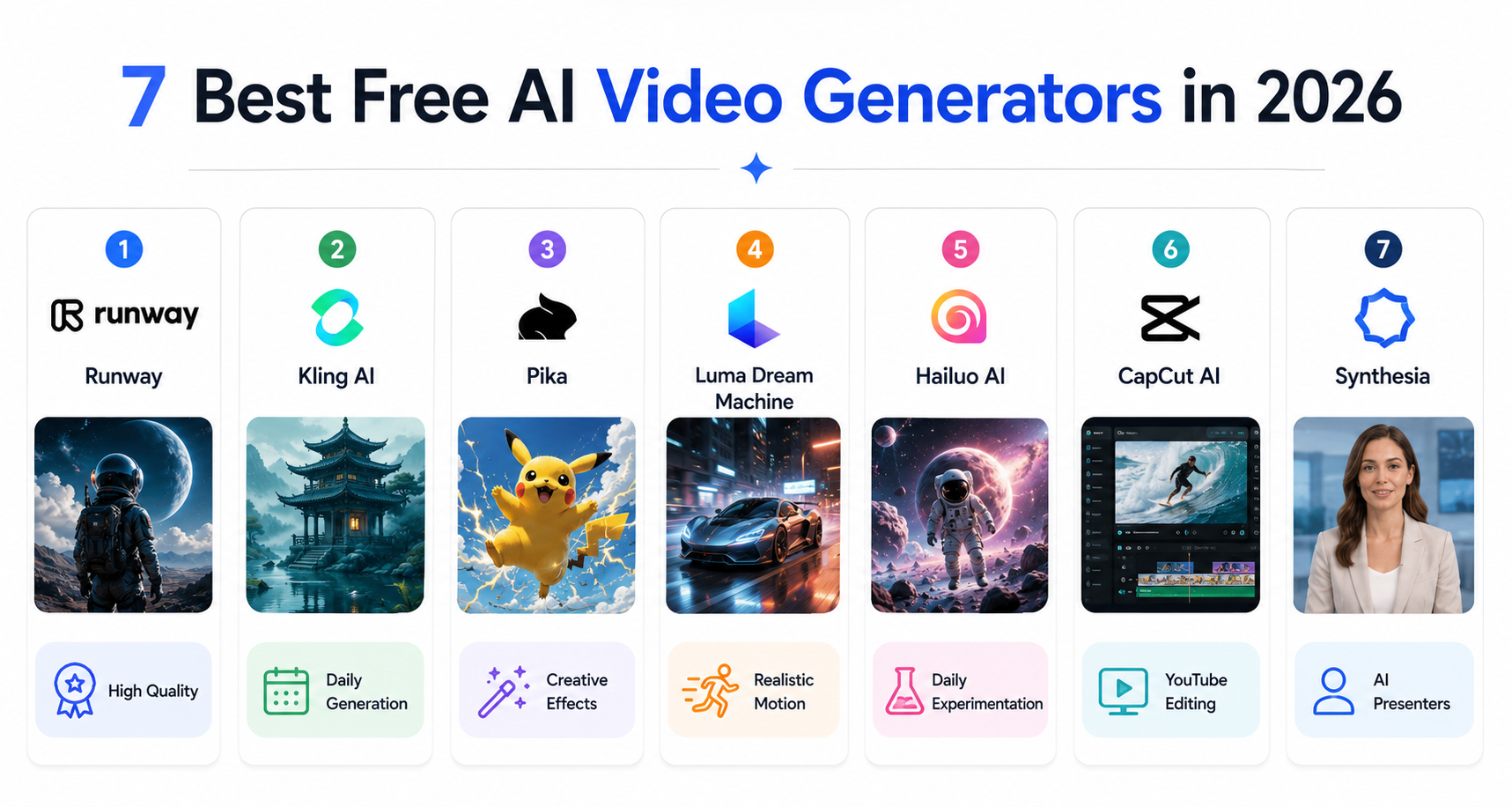
After comparing the leading free and freemium options, Runway is the strongest choice for high-quality experimentation, Kling and Hailuo are strong options for recurring short-form generation, Pika is useful for creative effects, Luma is strong for realistic motion, CapCut is the most practical editing workflow, and Synthesia is best for AI presenter videos.
The important catch is that "free" means something different on every platform. Some offer one-time credits, others refresh credits, while others limit resolution, add watermarks, or restrict commercial use.
This guide compares the actual free-tier structure, video length, watermark restrictions, and best use case for each tool so you can choose without wasting your free credits. Once you outgrow free tiers, our best AI video generation platforms comparison covers the paid, professional-grade side of these same tools.
Quick Picks: Which Free AI Video Generator Should You Use?
- Best for high-quality experimentation: Runway
- Best for recurring short-form generation: Kling AI
- Best for creative effects: Pika
- Best for realistic motion: Luma Dream Machine
- Best for daily experimentation: Hailuo AI
- Best for YouTube editing and production: CapCut AI
- Best for AI presenter videos: Synthesia
For most YouTube creators: use CapCut for editing and combine it with a dedicated generator such as Kling, Hailuo, Runway, or Pika depending on the type of footage you need.
For completely free experimentation: remember that "free" can mean one-time credits, monthly credits, daily credits, watermarked exports, or restricted commercial use. Always check the current plan before building a production workflow around a tool.
What Makes an AI Video Generator Actually Useful?
Before the rankings, here is what separates useful tools from impressive demos:
Consistency — does the video maintain coherent motion and subjects throughout the clip, or does it fall apart after two seconds?
Prompt accuracy — does the generated video actually match what you described, or does it produce something vaguely related?
Practical output — is the generated video usable for real purposes like social media, YouTube, or presentations?
Free plan honesty — does the free plan produce watermark-free videos at usable quality, or is it a teaser that requires payment for anything worth keeping?
1. Runway ML — Best Overall Quality
Free plan: 125 one-time credits on signup Video length: Short generations, varies by model Best for: Highest quality short clips, professional creative work
Runway remains one of the highest-quality AI video platforms available, though the free-tier framing has shifted. The flagship models are now Gen-4 and Gen-4.5 — a meaningful step up from the earlier Gen-3 Alpha generation, with support for much longer, more temporally consistent output on paid tiers. The free plan still provides 125 one-time credits, which now covers roughly 5 to 8 short generations depending on your settings — not a renewing monthly allowance.
What makes it stand out:
Motion consistency and prompt-following remain the best in class among free-accessible tools. Camera movement responds well to plain-language direction like "slow pan left" or "zoom in slowly." The video-to-video and Extend features make it useful for building longer sequences from short generations, not just one-off clips.
Limitations: The 125 credits are one-time, not renewing — once used, you need a paid plan. Best treated as a tool for testing and high-priority work rather than daily content production.
Try it: runwayml.com
2. Kling AI — Best Free Plan for Video Quality
Free plan: Daily free credits; exact allowance can change Video length: Depends on the current model and generation settings Best for: Regular content creation, social media videos, product demonstrations
Kling AI from Chinese AI company Kuaishou has emerged as one of the strongest options for users who want consistent high-quality AI video on a free plan. Kling's free access is designed around recurring credits, making it useful for creators who generate content regularly rather than spending a large one-time trial allowance. For creators who log in and generate a little each day, this still adds up to meaningful monthly output; for those who want to batch a week's content in one sitting, it's more restrictive than before.
What makes it stand out:
Physics simulation is notably strong — liquid, cloth, and natural material movement behave more realistically than most competing tools. Human motion is smooth and natural for short clips. The image-to-video feature animates your existing photos convincingly.
Limitations: Free plan videos include a watermark. Chinese company data privacy considerations worth noting for professional use.
Related articles
AI Tools
AEO vs GEO vs SEO: Definitions & Differences (2026)
AEO vs GEO vs SEO explained with clear terminology, use cases, and a practical decision framework for when each term matters.
AI Tools
AI SEO Checklist for Beginners (2026 Guide)
A step-by-step AI SEO checklist for beginners covering research, implementation order, internal links, schema, EEAT, and post-publish monitoring.
Try it: klingai.com
3. Pika — Best for Creative Effects
Free plan: 80 monthly video credits Video length: Varies by feature and model Best for: Creative effects, image-to-video, beginners, short social clips
Pika is a beginner-friendly AI video platform focused heavily on creative effects and image-to-video workflows. Its current free plan includes 80 monthly video credits and access to Pika 2.5 at 480p, along with selected creative tools.
What makes it stand out:
Pika is particularly useful when you want to transform an existing image into a creative video rather than build an entire production from scratch. Its effects and editing-style features make it useful for Shorts, social posts, memes, and experimental content.
Limitations: The free plan has a relatively small monthly credit allowance, and higher-resolution or more advanced features require a paid plan.
Try it: pika.art
4. Luma Dream Machine — Best for Realistic Motion
Free plan: Limited monthly credits Video length: Depends on the model and generation mode Best for: Realistic motion, cinematic scenes, image-to-video
Luma Dream Machine is a strong option when realistic movement and cinematic presentation matter more than producing a large number of clips.
What makes it stand out:
Luma is particularly useful for cinematic camera movement, realistic environments, and image-to-video workflows. It is a good choice when you already have a reference image and want to turn it into a moving shot.
Limitations: The current web Free plan has limited monthly usage, lower-priority processing, draft-resolution output, watermarks, and non-commercial restrictions. Exact limits can change as Luma updates its credit system.
Try it: lumalabs.ai/dream-machine
5. Hailuo AI (MiniMax) — Best Free Daily Limit
Free plan: Daily free credits that replenish every 24 hours Video length: Up to 6 seconds Best for: Regular daily content creation, social media videos
Hailuo AI from MiniMax offers daily replenishing credits — making it one of the most practically accessible free AI video tools for users who want to generate content consistently. The video quality is competitive with the best tools at longer clip lengths than many alternatives.
What makes it stand out:
Daily credit reset means you can create content regularly without running out. The video quality has improved significantly through 2025 and now competes with Kling and Luma for mid-tier quality. Strong performance on text-to-video prompts with clear subject descriptions.
Limitations: Less strong for complex scenes with multiple subjects. Watermark on free plan videos.
Try it: hailuoai.video
6. CapCut AI — Best for YouTube Editing + AI Video Workflows
Free plan: Free tier available; AI generation limits vary by feature Best for: YouTube videos, Shorts, captions, editing, and AI-assisted production
CapCut is different from Runway, Kling, or Pika because it combines AI generation with a full video editor. For YouTube creators, that workflow can be more useful than having a standalone video generator.
What makes it stand out:
CapCut combines AI-assisted generation with editing features such as captions, background removal, reframing, effects, transitions, and other post-production tools. This means you can generate or assemble footage and continue editing it without moving between several applications.
For YouTube creators specifically, this makes CapCut useful for turning short AI-generated clips into complete videos and Shorts.
Important free-plan note: CapCut's AI generation availability and limits can vary by feature, account, region, and current product offering. Do not assume every AI generation feature is unlimited simply because the editor itself has a free tier.
Try it: capcut.com
7. Synthesia — Best for AI Presenter Videos
Free plan: Up to 10 minutes of video per month Best for: AI presenter videos, explainers, training, professional presentations
Synthesia takes a different approach from tools such as Runway and Kling. Instead of primarily generating cinematic clips, it creates videos in which AI presenters deliver your script.
What makes it stand out:
It is useful when you need an on-screen presenter without recording yourself. You can create explainers, tutorials, training videos, product presentations, and multilingual content from a script.
Limitations: Free videos include Synthesia branding, and the free plan is better suited to testing the workflow than producing a complete professional video library.
Try it: synthesia.io
Comparison Table
| Tool | Free Access | Free Limit | Watermark | Best Use |
|---|---|---|---|---|
| Runway | Yes | 125 one-time credits | Yes | High-quality experimentation |
| Kling AI | Yes | Daily free credits; exact allowance can change | Usually yes on free outputs | Regular short-form generation |
| Pika | Yes | 80 monthly video credits | No | Creative effects |
| Luma Dream Machine | Yes | Limited monthly credits | Yes | Realistic motion |
| Hailuo AI | Yes | Limited free access; daily availability can vary | Free outputs may be watermarked | Motion-focused clips |
| CapCut AI | Yes | Feature-dependent free usage | Varies by feature | YouTube editing + AI workflow |
| Synthesia | Yes | Up to 10 minutes/month | Yes | AI presenter videos |
Related articles
AI Tools
AI SEO vs Traditional SEO: What Actually Changes (2026)
AI SEO vs traditional SEO explained with a practical comparison, hybrid strategy guidance, and clear rules for when each approach should lead.
AI Tools
Best AI Agents in 2026: 10 Top Picks Compared by Use Case
Compare the best AI agents in 2026 for coding, research, productivity, business, automation, and personal tasks. Find the right AI agent for your workflow.
What Does "Free" Actually Mean for AI Video Generators?
There is no single definition of "free" in AI video generation.
A free plan may give you:
- One-time credits — you receive a trial allowance that does not replenish.
- Monthly credits — your allowance resets each billing cycle.
- Daily credits — you receive a smaller allowance that refreshes regularly.
- Watermarked exports — you can generate videos for free but the platform logo remains on the output.
- Resolution limits — free users may be restricted to lower-resolution output.
- Feature restrictions — some models or advanced generation modes may require a paid plan.
- Commercial restrictions — some free plans are intended primarily for personal or non-commercial use.
That means the tool with the largest number of free credits is not automatically the best free AI video generator.
For YouTube creators, compare usable output, watermark rules, commercial rights, generation limits, and editing workflow rather than looking at credits alone.
Which of These Is Best Specifically for YouTube?
If your goal is a monetized YouTube channel, do not choose a generator based only on whether it has a free plan. Check the watermark, commercial-use terms, output quality, and how easily you can combine multiple clips into a finished video.
For long-form YouTube videos, a practical workflow is usually AI generation + voiceover + editing, rather than asking one tool to create an entire 5- or 10-minute video in one generation.
If you're generating clips to use inside actual YouTube videos rather than as standalone social posts, the tool that matters most is the one you'll pair with your editor — not the one with the flashiest demo.
For b-roll and filler shots inside a longer video: Hailuo AI or Kling AI. Both offer recurring free access, which can be useful for creators who generate content regularly rather than saving up for one large generation session.
For your primary editor with AI generation built in: CapCut AI. It's the only tool on this list that's genuinely a full YouTube production tool rather than a clip generator you then have to import elsewhere — captions, cuts, and reframing for Shorts all live in the same app.
For a hero shot or thumbnail-adjacent visual where quality matters most: Runway, using your limited one-time credits deliberately rather than for testing.
For the complete AI-assisted YouTube production workflow these tools fit into, see the complete guide to growing a YouTube channel with AI and the YouTube automation toolkit.
Can You Make Longer Videos With These Tools?
Yes, but the answer depends on the type of AI video tool.
Generative video models such as Runway, Kling, Pika, Luma, and Hailuo generally produce short clips that you combine during editing.
AI video platforms such as Synthesia and CapCut approach the problem differently: they can help assemble longer finished videos using scripts, presenters, editing tools, captions, and generated assets.
For cinematic long-form YouTube videos, the most reliable workflow is still to generate multiple short shots and assemble them in an editor. This gives you more control over pacing, continuity, voiceover, captions, transitions, and Shorts versions.
Stitching multiple generations together: Generate several short clips around a theme or scene, then assemble them in CapCut AI (or Descript for talking-head content) into a longer sequence. This is how most "AI-generated" long-form YouTube content is actually built — many short generations edited into one continuous video, not one long unbroken AI generation.
Using Extend features: Runway's Extend tool lets you take a generation you like and continue it rather than starting over — useful for pushing a single shot slightly longer without a completely new prompt.
Setting realistic expectations: If you need a genuinely long, single continuous AI-generated shot with consistent subjects throughout, none of the free tools on this list do that reliably yet. The workflow above — many short clips edited together — remains the practical approach for long-form content in 2026.
Practical Workflow for Content Creators
Most successful AI video creators in 2026 combine multiple tools rather than relying on one:
For YouTube videos: Use CapCut AI as your primary editor. Generate b-roll clips with Hailuo or Kling to fill gaps where you lack footage. Use ElevenLabs for voiceover if you do not want to record yourself.
For social media short clips: Luma Dream Machine or Kling AI for visually impressive clips. Add captions in CapCut. For thumbnails and supporting visuals, see our guide to the best free AI image generators in 2026.
For professional presentations: Synthesia for presenter videos. Runway for high-quality transition clips. Canva for slide design.
For maximum quality on a specific project: Save Runway credits for important work where quality matters most since the free credits do not replenish.
What AI Video Generation Cannot Do Yet
Setting realistic expectations matters. In 2026, AI video generators still struggle with:
Longer coherent narratives — beyond 5 to 10 seconds, most tools lose consistency in subjects, lighting, and scene composition.
Precise control — you describe what you want but you cannot control specific frame-by-frame details the way traditional animation or video editing allows.
Consistent characters — generating the same person or character consistently across multiple clips remains challenging without specific workarounds.
Complex multi-subject scenes — scenes with multiple interacting subjects often produce inconsistent or physically impossible results.
These limitations are improving rapidly. The technology is changing quickly, so specific capabilities and free-tier restrictions can change throughout 2026. Understanding the current limitations helps you choose the right tool and set realistic expectations.
Related articles
AI Tools
Best AI Search Rank Tracking Tools 2026: Free & Paid
Compare the best AI search rank tracking tools for ChatGPT, Perplexity, and Google AI Overviews in 2026 — free options, pricing, and citation tracking.
AI Tools
7 Best Free AI Image Generators in 2026
We evaluated 7 of the best free AI image generators in 2026 for image quality, free access, ease of use, text rendering, and commercial-use considerations.
Frequently Asked Questions
Does CapCut's free AI video generator have a daily limit?
There is no single daily limit that applies to every CapCut AI feature. Availability and usage limits can vary by feature, account, region, and current product offering. Some AI generation features use credits or have specific usage limits, so check the current CapCut interface before relying on a particular allowance. For the exact current credits, limits, and watermark rules, see our CapCut AI free plan breakdown.
Which free AI video generator is best for YouTube? CapCut AI for your primary editing workflow, paired with Hailuo AI or Kling AI for generating short b-roll clips to fill gaps in longer videos. Both Hailuo and Kling reset on a daily cycle, which fits a regular publishing schedule better than tools with a one-time credit allowance.
Can I make longer videos with these free AI tools?
Yes, but most generative video models are designed around short clips rather than one long continuous generation. For longer YouTube videos, generate multiple short clips and assemble them in an editor such as CapCut AI. Platforms such as Synthesia use a different workflow and can create longer presenter-based videos.
Which free AI video generator has the highest limits? There is no single winner because each platform measures free access differently. CapCut offers a broad free editing workflow, while dedicated generators such as Hailuo AI and Kling AI provide recurring free access. Runway uses a one-time credit allowance, while other platforms may use monthly credits or feature-specific limits.
The Bottom Line
For most content creators, a practical free setup in 2026 is CapCut AI for editing and production combined with either Hailuo AI or Kling AI for generating short creative clips. This can be used without an upfront subscription, although free tiers may include credits, watermarks, feature restrictions, or other limits. For regular YouTube production, this combination offers a practical balance of generation and editing without requiring significant technical knowledge.
If you need the highest possible quality for a specific project and have not used it before, start with Runway ML's free credits — the quality difference is noticeable and worth experiencing even if the one-time credit limit makes it impractical for daily use.
If you are specifically evaluating OpenAI's video model rather than free-tier tools, read our full Sora review before building it into a production workflow.